An important reason for approving forms is to reduce duplication and ensure the right data is updated.
The Confirm Approval Changes screen helps you identify if the contact is already known to infoodle, and what data should be updated from the form.
There are occasions when people filling in forms are imprecise or spell their name slightly differently. It's also possible for those approving forms to select the wrong contact when assigning the form data. For these reasons we have added a final confirmation screen to ensure you are comfortable with the changes that are being made - and give you a final chance to make changes.
This applies to the contact data only.
When going through the form approval process and clicking Approve to confirm all the options you have chosen for this form entry, infoodle checks to see if the contact data on the form is different from the contact details on the records that will be updated.
This confirmation step provides you with the option to confirm or cancel these changes.
The example below is a situation where an existing contact has been selected during the Assigning step, and where it can be updated with data received on the form - in this case, First name, Last Name and Email address. This is possibly in error as this will lead to their name being changed.
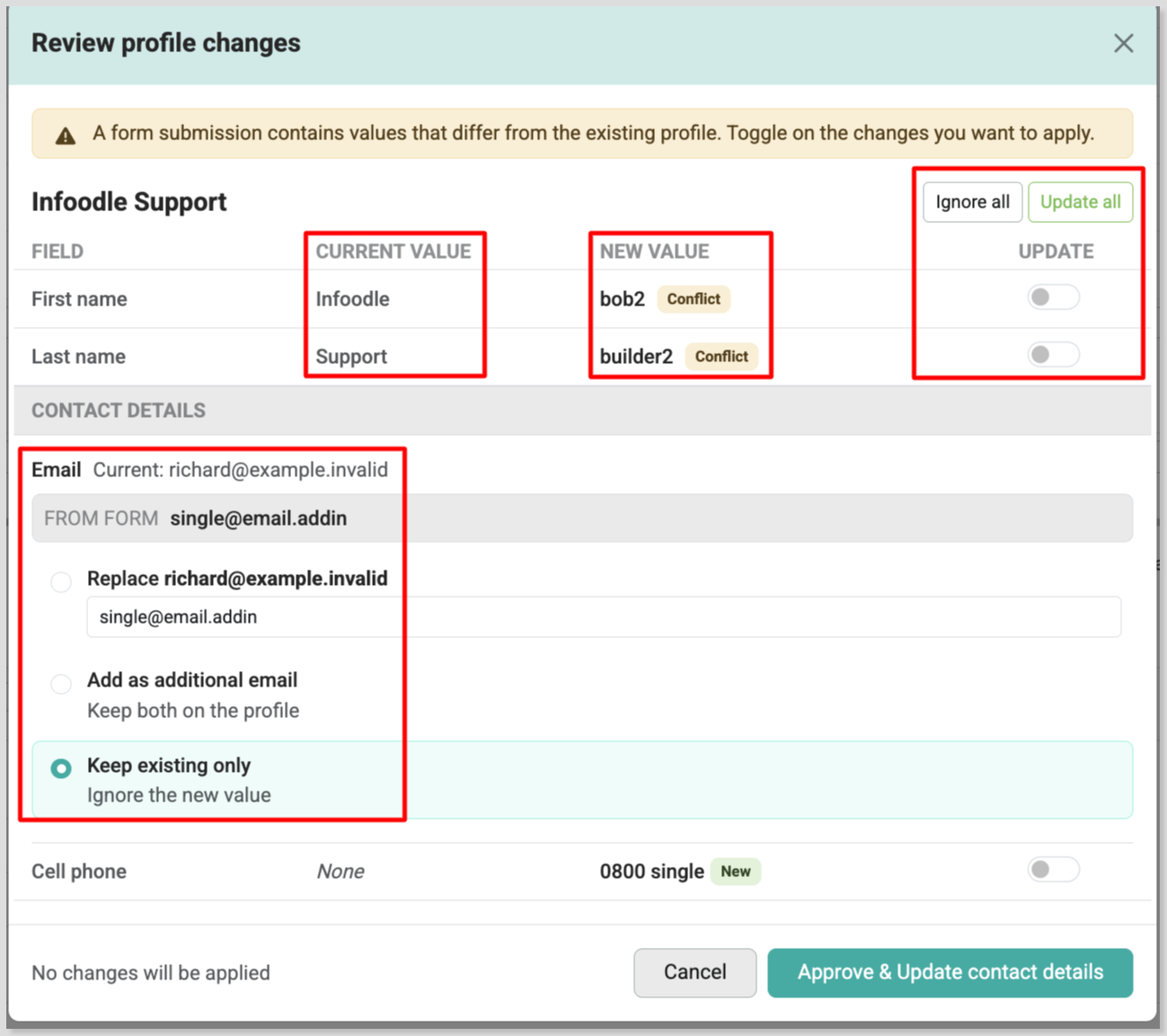
Click on the individual Update toggle to confirm that you want to update the existing data with the new value.
You can also select Update all to set all to be updated, or Ignore all to clear all update selections.
Additionally you can add or update specific email addresses or phone numbers by selecting the appropriate options associated with each.
To proceed with the selected changes and complete the approval process, click Approve & Update contact details.
Only those fields that will change are shown on this screen.
If this screen does not appear, the form will not be making any changes to the relevant fields.