The household name is shared across all primary members of a household. Changing it updates the name for everyone in that household at once.
Where to find it
Open any contact who belongs to the household and go to their Address section on their profile.
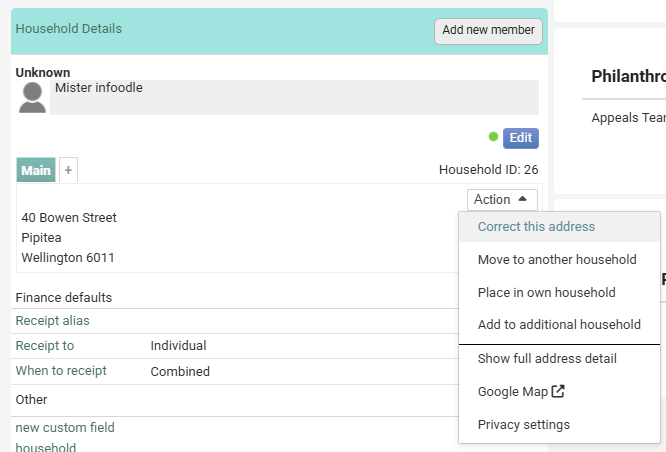
- Find the address block for the household.
- Click the Action button alongside the address.
- Select Correct this address from the menu.
- Update the Household Name field.
- Click Save.
The new name will be reflected across all members of that household immediately.
Things to know
- The household name is used in receipts when Receipt To is set to Household. If you use a Receipt Alias, that alias overrides the household name on receipts — but the household name itself still applies everywhere else (reports, labels, merge tags, etc.).
- Changing the household name does not affect individual contact names — those are edited separately on each person's profile.
- If you need to split a household or move a member to a different household, see Editing a Household/Organisation.