infoodle is able to automatically decode local and international addresses into its associated Longitude and Latitude. These are then available for reporting and API access for use in other systems.
Driving Distances can also be automatically calculated from a single base address (typically your organisation office) which are likewise available for reporting and API access.
The Longitude and Latitude page allows you to see the current status of the address decoding activity and allows you to set up driving distance calculations.
How to access Longitude/Latitude?
- Click on the administration cog icon
- Click on administration
- Scroll to the bottom and click on Longitude/Latitude
Longitude Latitude Status
Addresses are written for people, but computers and maps need exact coordinates. Converting an address into latitude and longitude gives a precise, universal location that navigation systems, delivery services, and mapping tools can use accurately.
This screen shows how many have been coded, show no results, or are still to be coded.
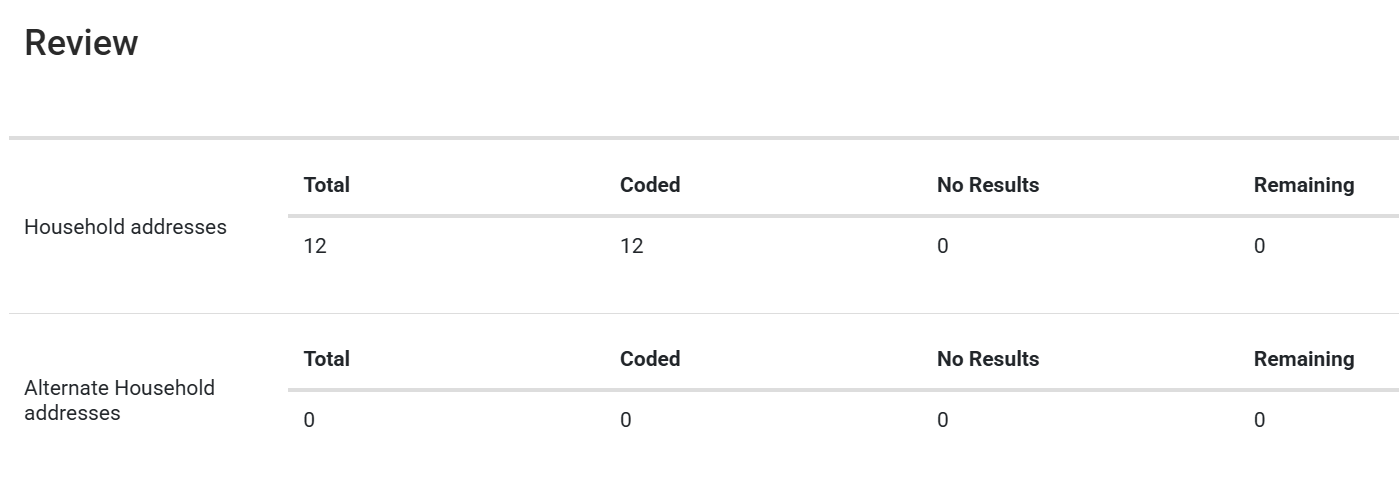
If the screen is not available or the automated decoding hasn't happened, then it might be because the automation isn't running on that site. If this is the case, please contact support.
Remaining should always be 0 unless there is a bulk import happening that might take a while for all of the addresses to be coded.
Driving Distances
This allows infoodle to automatically calculate driving distances from a base address. This is useful if you have field workers and need an idea of the distances they travel when planning routes or reporting on activities.
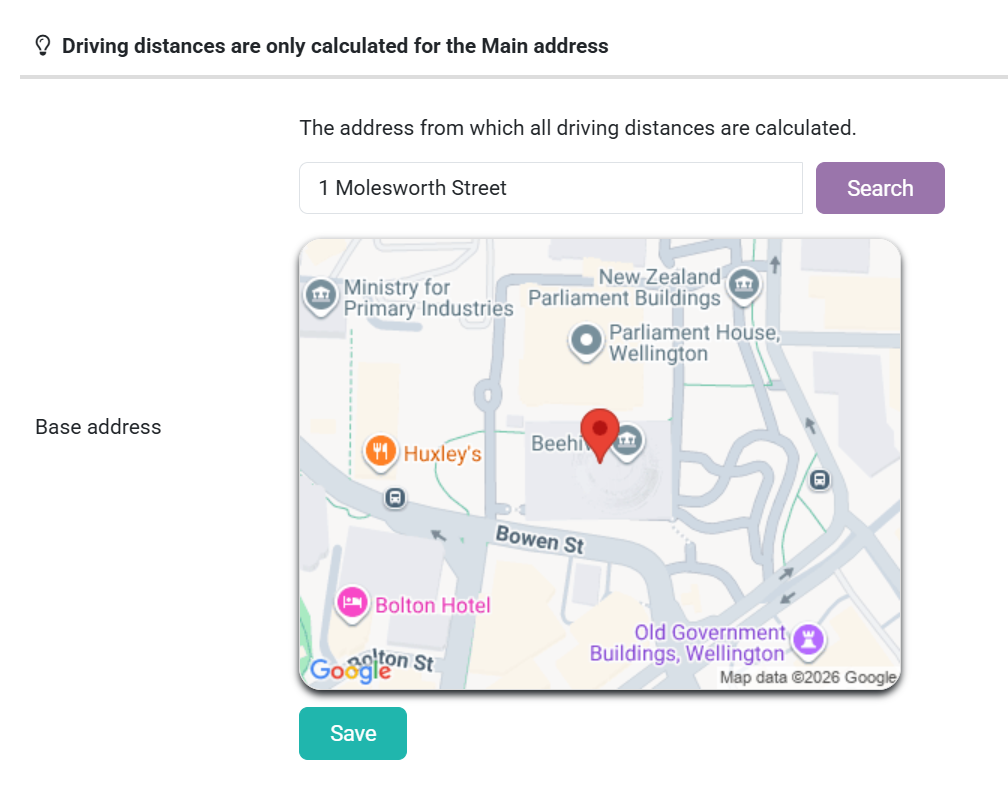
- Enter in the address you want the base address to be. For example, your organisation.
The screen will then change and you may see this warning:

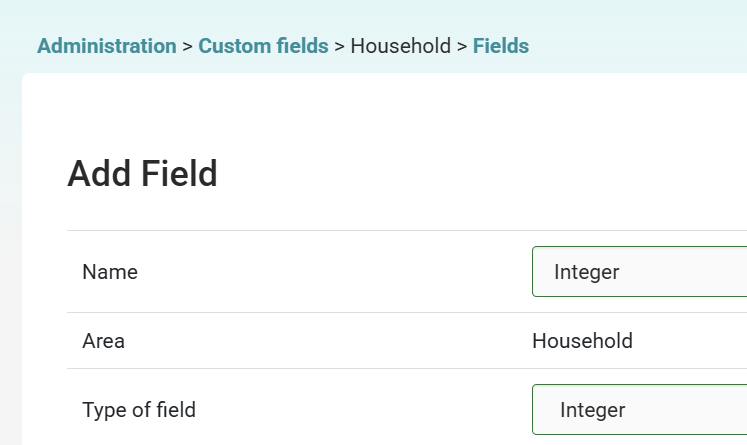
If so, you will need to create a household custom field of integer. Go to Custom Fields > Household > Manage Fields > Add.
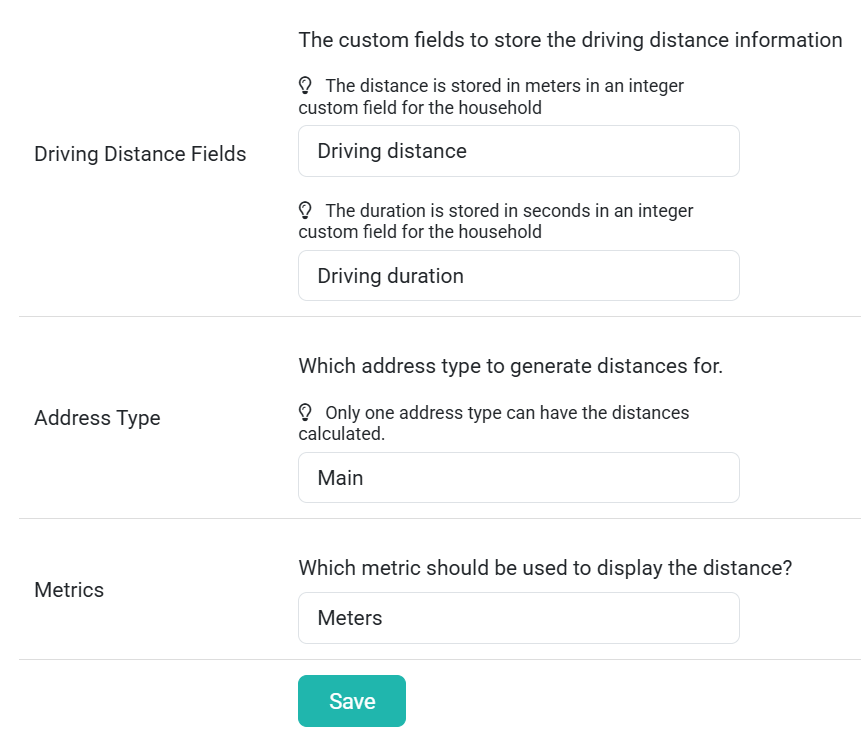
- Select from the drop-down field the integer custom field you have created for both the distance and duration
- You need to specify which of the addresses you currently record in your system. Select from the drop-down field the type of address this is, e.g. main, home, work, or retail
- Select from the drop-down field the metric that should be displayed, e.g. metres or miles.
- Then click save