Cancelling a pledge will stop it from being processed further. It retains the details of the pledge and any items that have been scheduled with a payment gateway or successfully paid along with their associated transactions. Any failed items can optionally be deleted.
How to Cancel a Pledge
- Search for the person or organisation whose pledge you want to manage.
- If Finance is not showing on the person's profile, then you will need to add it. To see how to do this, look at Profile Layout
- Then in the Finance section on the profile page, open the Pledges tab.
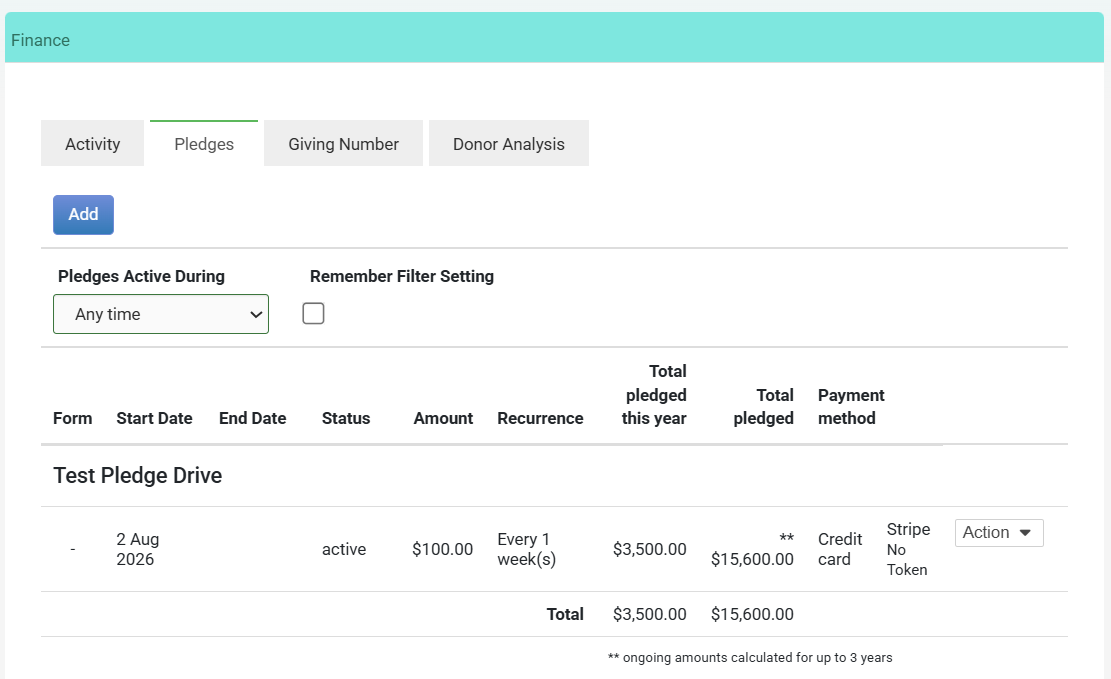
- Click the Actions menu next to the pledge (you may have to scroll across to the right side of the screen, or zoom out). Then click Manage Pledge.
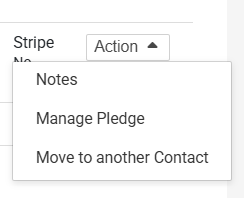
- A pop up will open on the right side of your screen, then click Cancel Pledge.
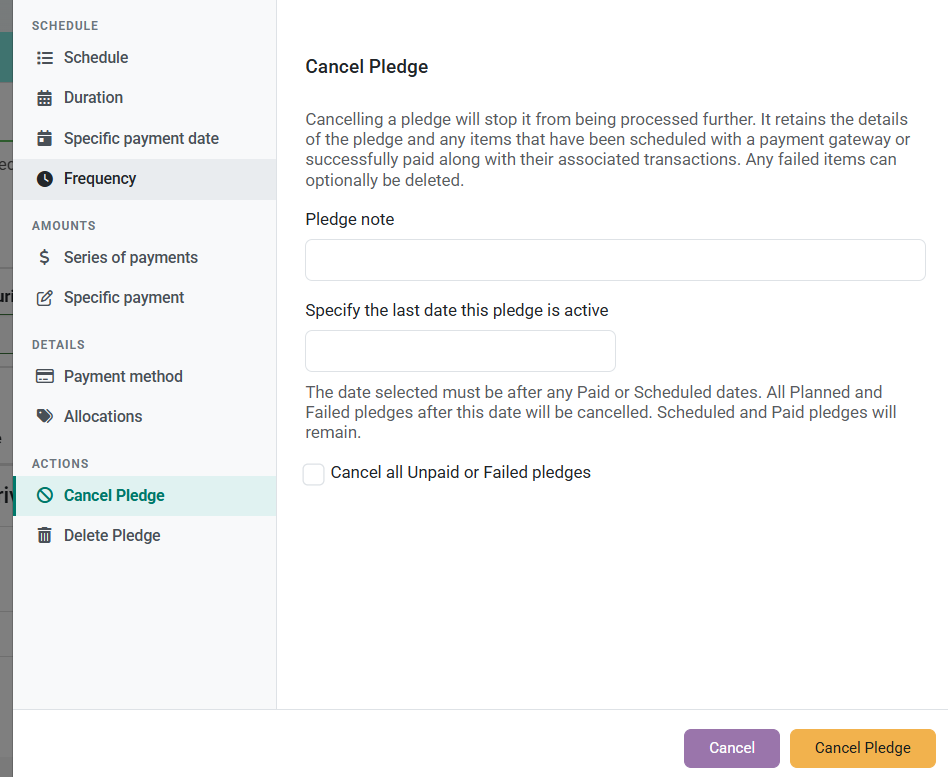
- Click Cancel Pledge to confirm
Cancel from a specific date
- Enter a date in the Specify the last date this pledge is active field.
- The date must be after any existing Paid or Scheduled records.
- All Planned and Failed records after this date will be cancelled. Paid and Scheduled records will remain untouched.
Cancel all remaining unpaid records
- Tick Cancel all Unpaid or Failed pledges to immediately cancel every remaining Planned and Failed occurrence, regardless of date.
What gets kept and what gets cancelled?
- Paid = Always kept
- Scheduled (with gateway) = Always kept
- Planned = Cancelled
- Failed = Cancelled (or optionally kept if before your chosen end date)
A note on payment gateways
Cancelling a pledge in infoodle does not automatically cancel any active payment arrangement with your payment gateway (Stripe, GoCardless, Ezidebit, etc.). These are in the Scheduled state. Make sure you also cancel any active payments directly in the gateway to prevent further collections.