Deleting a pledge will stop the pledge and remove any unprocessed dates from the schedule. You also have the option to remove all records associated with the pledge and the schedule regardless of whether they are paid or have been scheduled with a payment gateway.
How to Delete a Pledge
- Search for the person or organisation whose pledge you want to manage.
- If Finance is not showing on the person's profile, then you will need to add it. To see how to do this, look at Profile Layout
- Then in the Finance section on the profile page, open the Pledges tab.
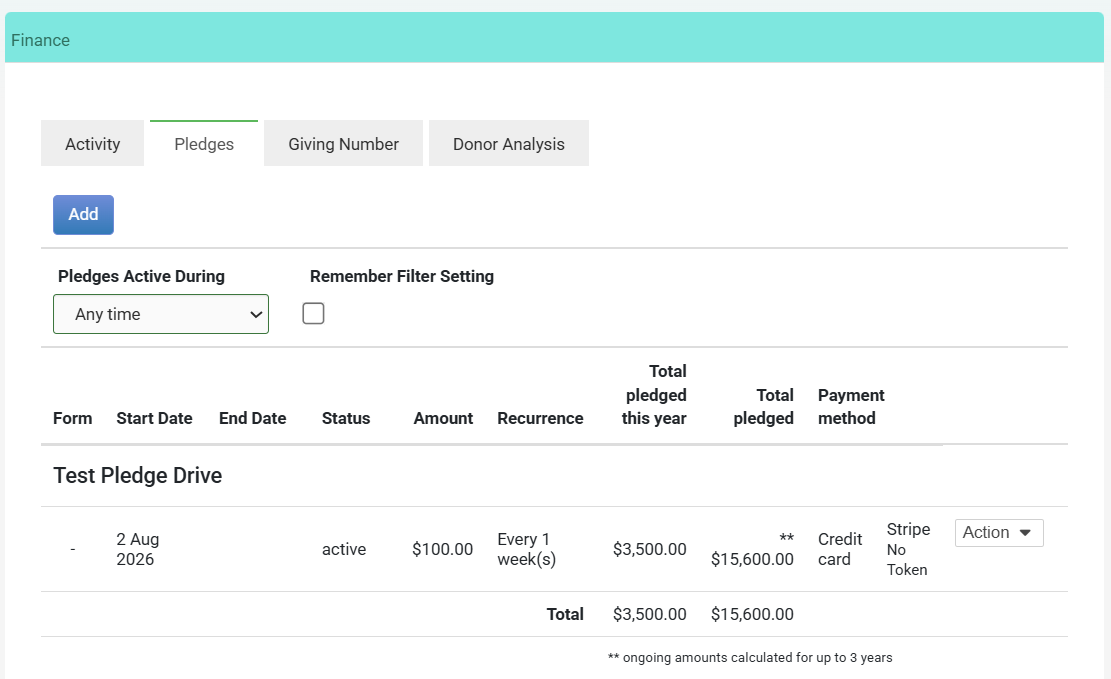
- Click the Actions menu next to the pledge (you may have to scroll across to the right side of the screen, or zoom out). Then click Manage Pledge.
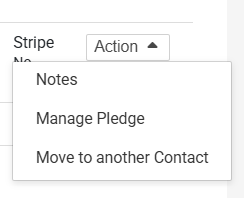
- A pop up will open on the right side of your screen, then click Delete Pledge.
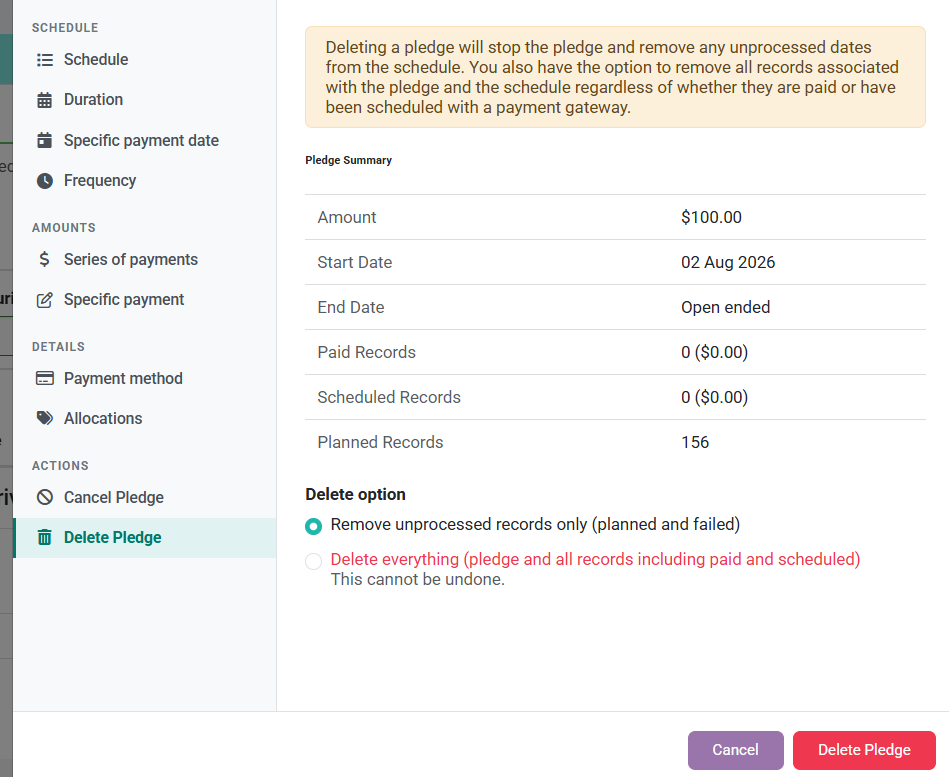
- Click Delete Pledge to confirm
Before deleting a pledge, infoodle shows you a Pledge Summary - the amount, start and end dates, and a count of paid, scheduled, and planned records. Review this carefully before proceeding.
If a donor has simply stopped giving, consider using Cancel Pledge instead. Cancelling removes future planned records while preserving the pledge history. Deleting is permanent.
Remove unprocessed records only (planned and failed)
Removes future planned occurrences and any failed records, but keeps the pledge record itself and any payments already marked as paid or scheduled with a payment gateway. Use this when you want to stop future payments but retain the giving history.
Delete everything (pledge and all records including paid and scheduled)
Permanently removes the pledge and every record attached to it, including paid transactions and any occurrences already scheduled with a payment gateway. This cannot be undone.
Which option should I choose?
| Situation | Recommended Option |
|---|---|
| Donor has stopped giving but you want to keep their giving history | Remove unprocessed records only |
| The pledge was created in error and should never have existed | Delete everything |
| You're unsure | Use Cancel Pledge instead - it's reversible |
If the pledge is linked to an automatic payment gateway (such as Stripe, GoCardless, or Ezidebit), deleting the pledge in infoodle does not automatically cancel the payment arrangement with the gateway. Make sure you cancel any active mandates or subscriptions directly in the gateway as well.