Creation of the Gift Aid Approvals Import Spreadsheet
Before starting the infoodle import process you need to create a file that describes the Gift Aid approvals you want to create in infoodle.
The minimum required fields (columns) are:
- Person Unique ID
- Date Received
Optional fields are:
- Approved From
- Approved Until
- Historic Date
- Available Offline
- Note
Import Process
To begin the import, select Administration then from the list of options, select Import Data
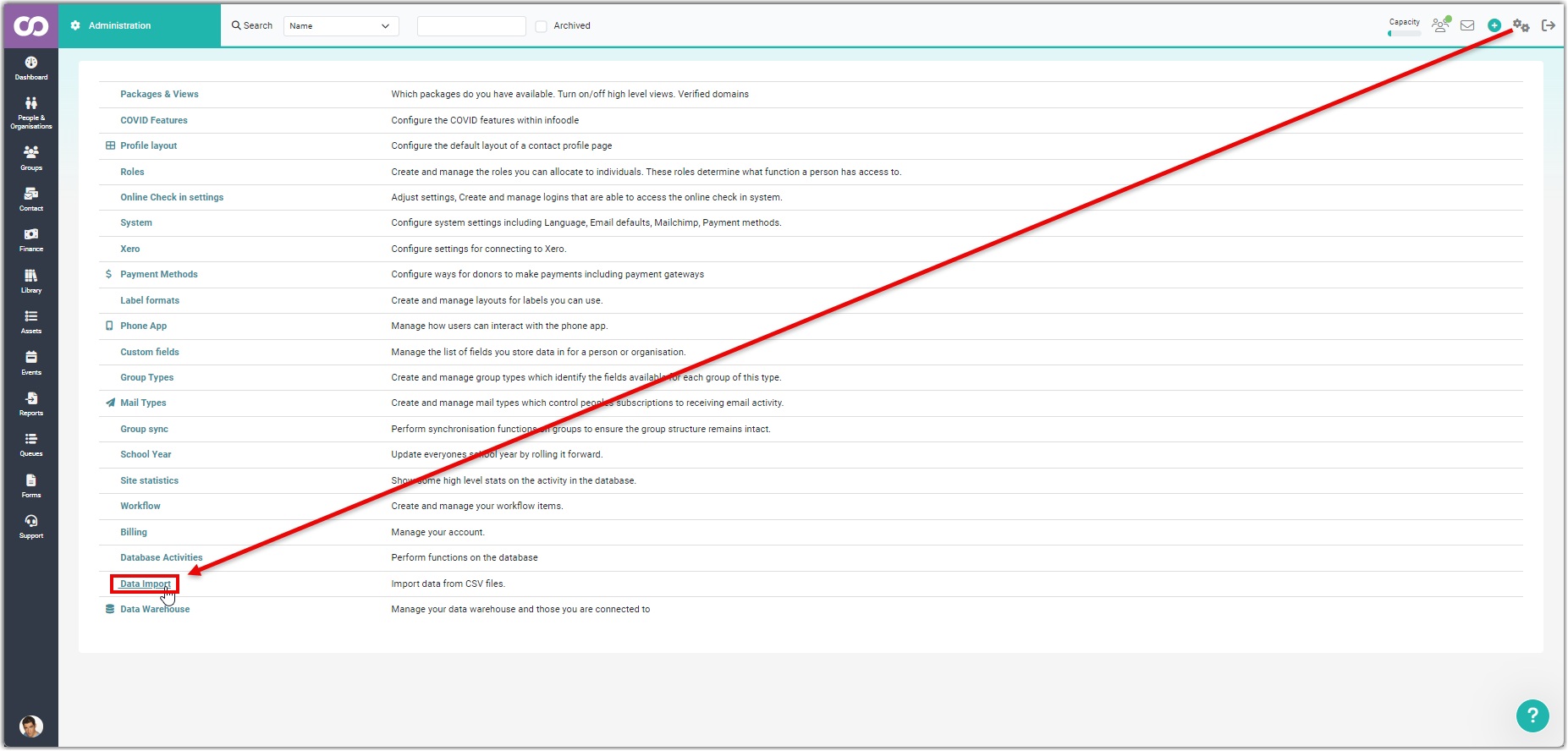
Follow through the steps outlined below:
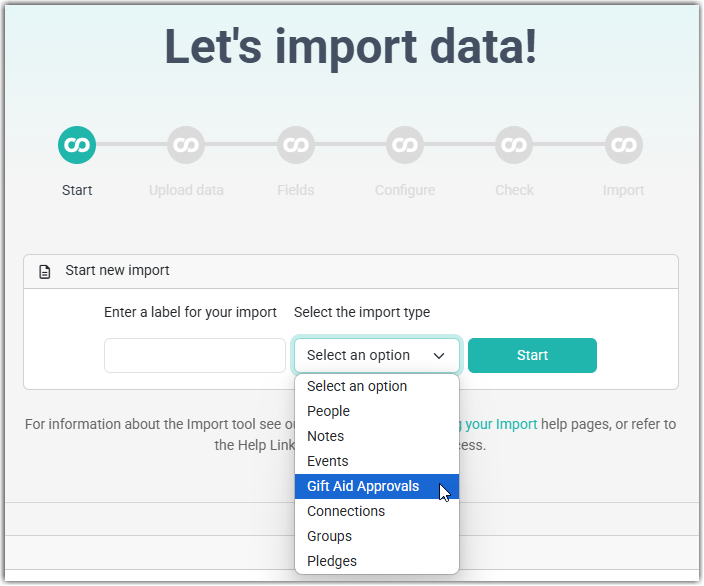
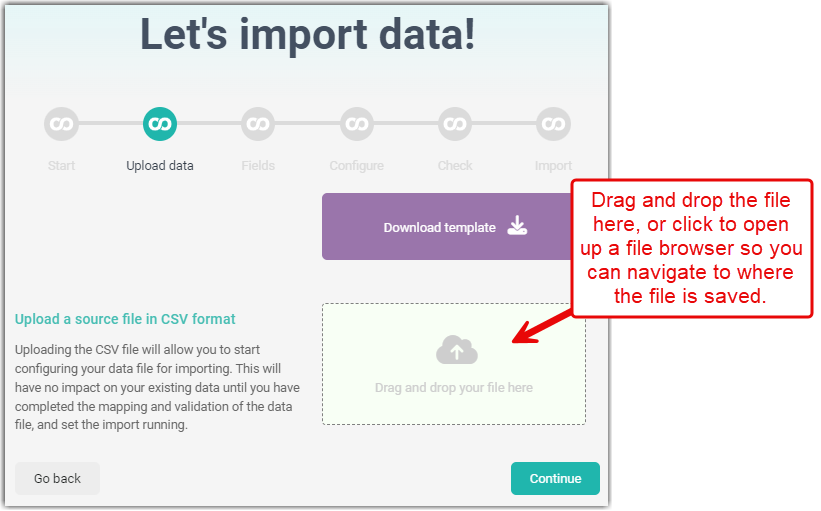
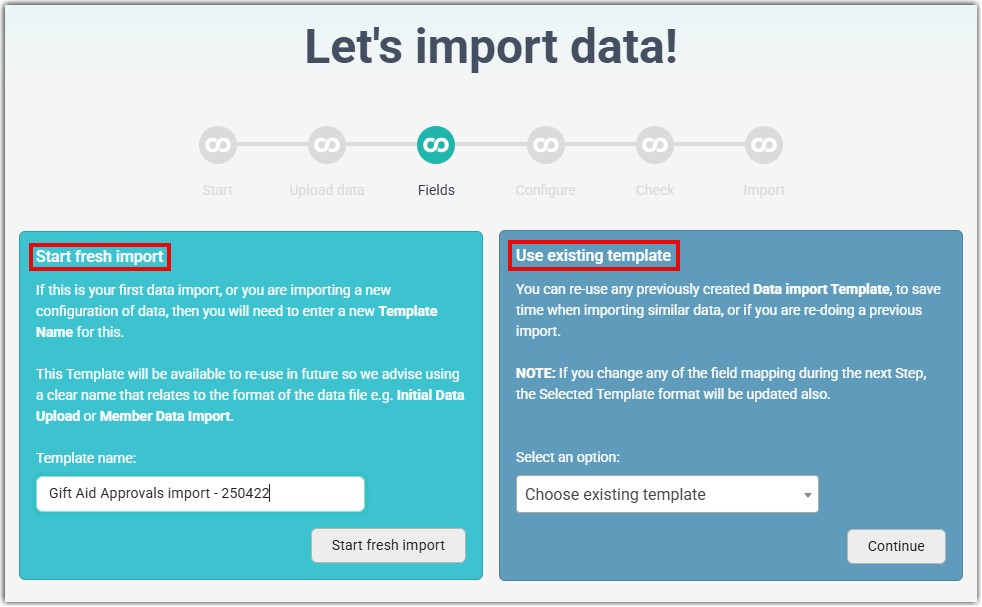
Either, start a fresh import and enter a name for the template, or select an existing template from the drop down list, created during a previous import.
Map the CSV fields to the infoodle fields
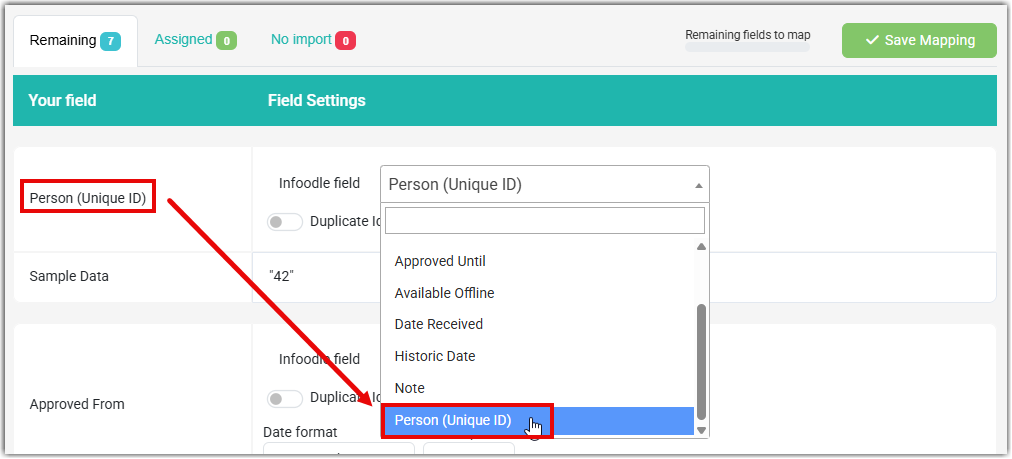
Required fields: Person Unique ID, Date Received.
Required and Optional fields mapped:
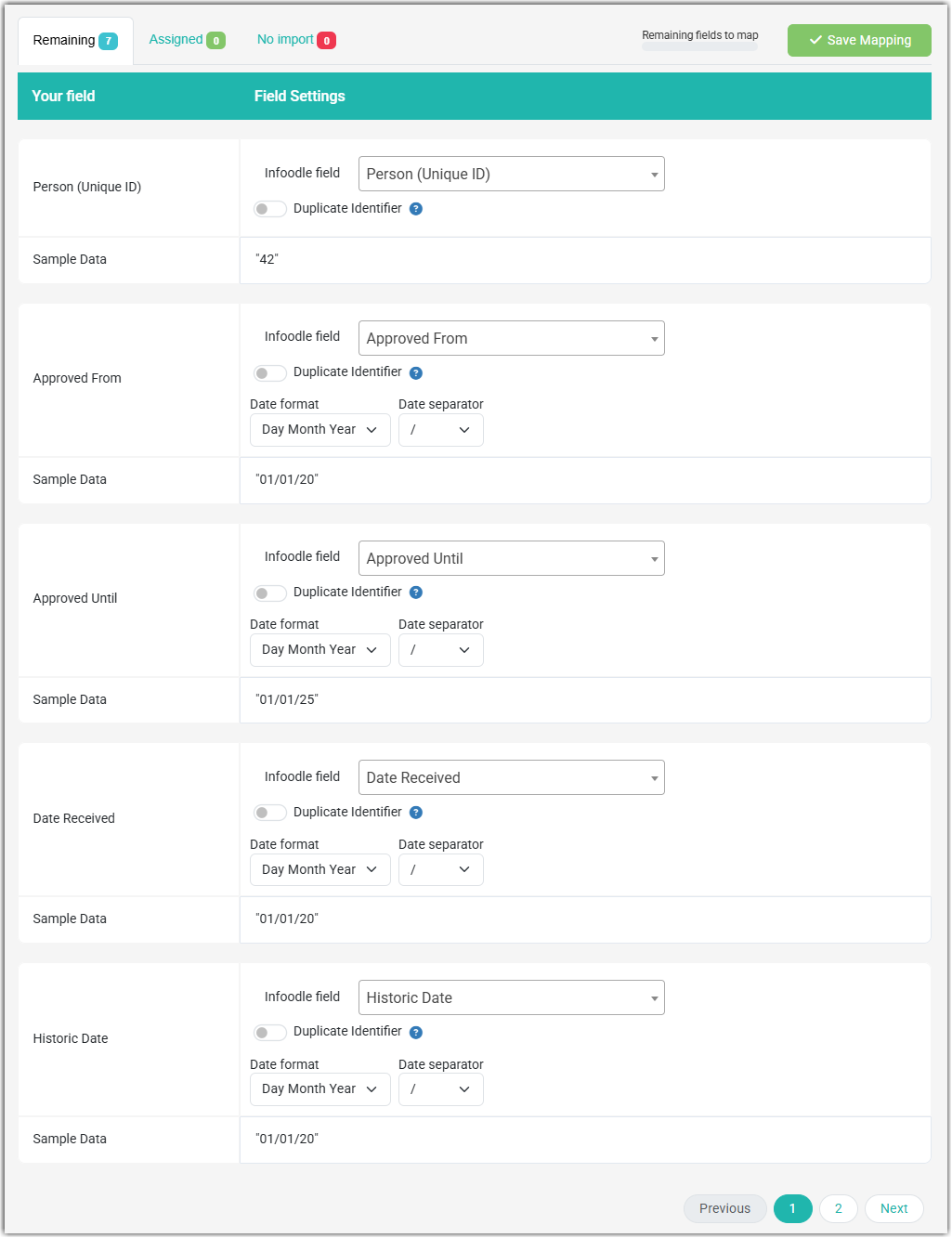
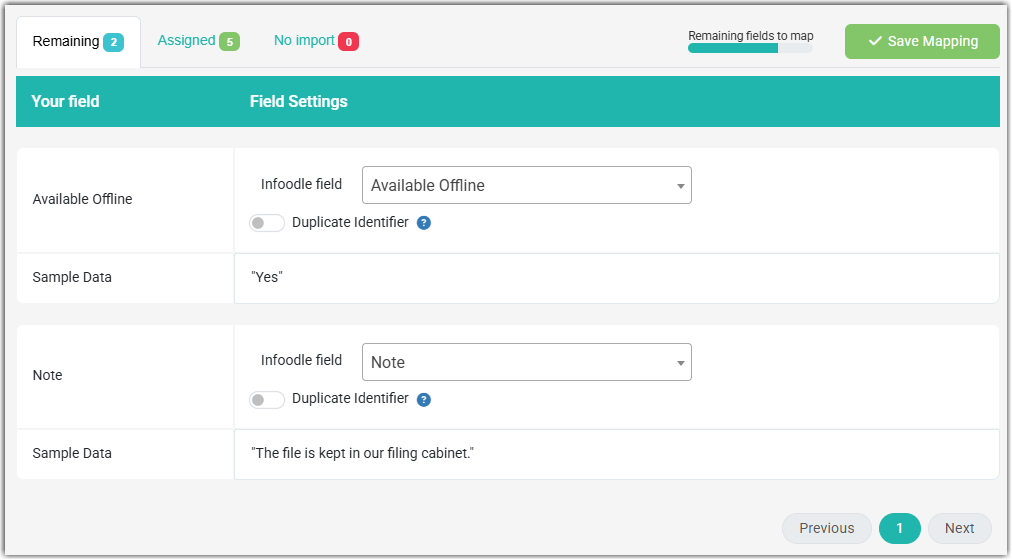
Mapping Complete
Once you have mapped all of the fields select Continue

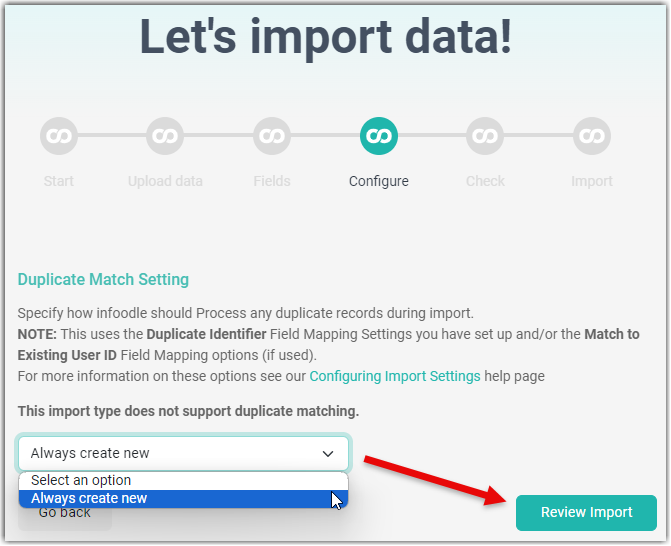
Duplicate Matching
Select the one option available and select Review Import:
Review and Queue Import
Check that all of your data validates without any errors then select Queue Import:
If there are errors you have the option to edit these. For details on how to do this, see: Check and Run the Import.