How to find a transaction
-
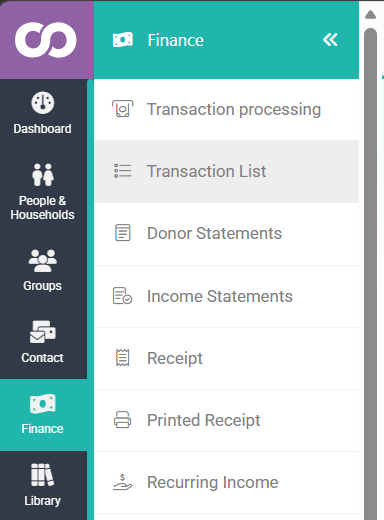
Click or hover over Finance on the navigation menu on the left, then click Transaction List.
-
On the Transactions list you can search and filter by Date, Name, Account Code, Batch, and Type using the column filters.
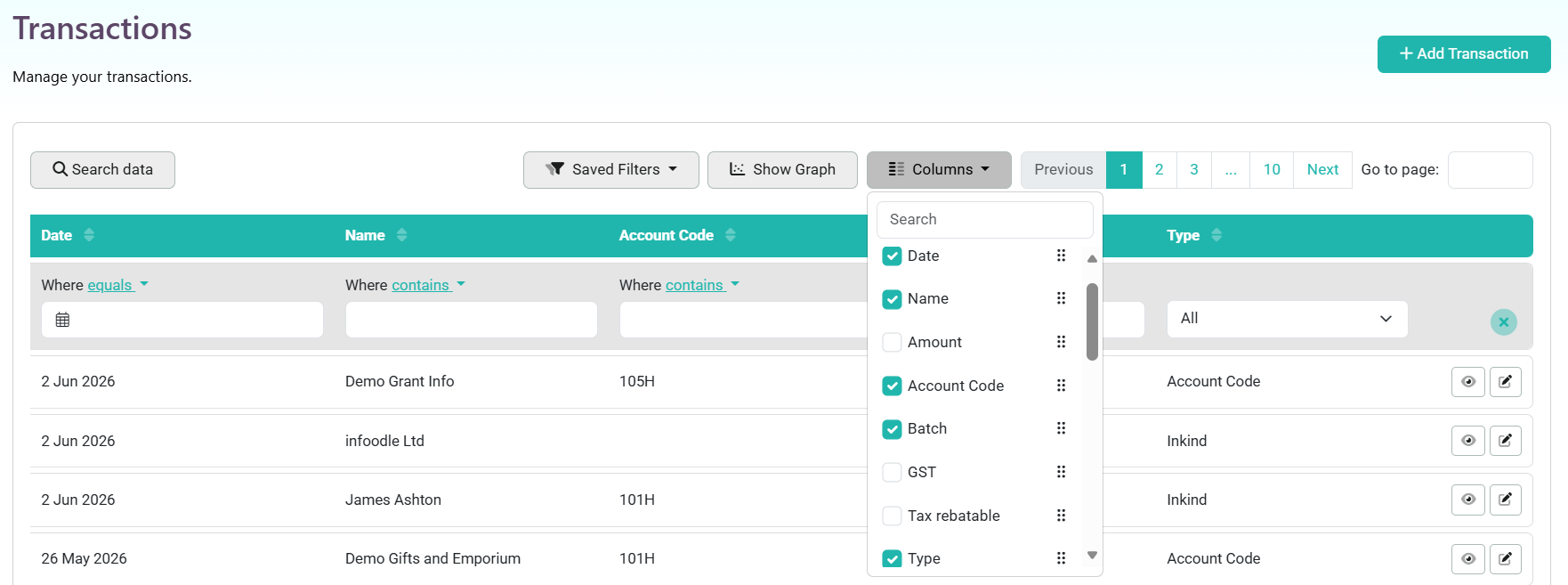
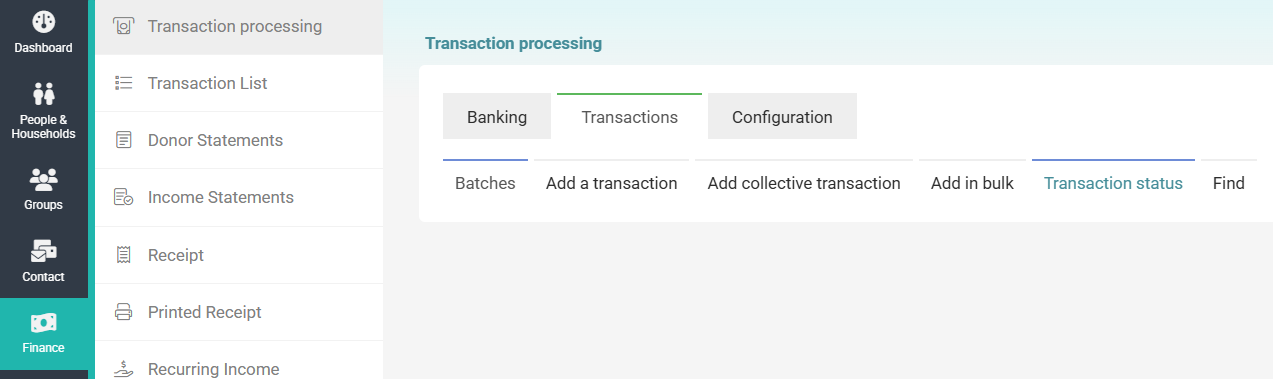
You can also access the Transaction list by going to Finance → Transaction processing → Transactions → Find
Transaction Status
To search for the status of a transaction:
- Click or hover over Finance on the navigation menu on the left, then click Transaction List.
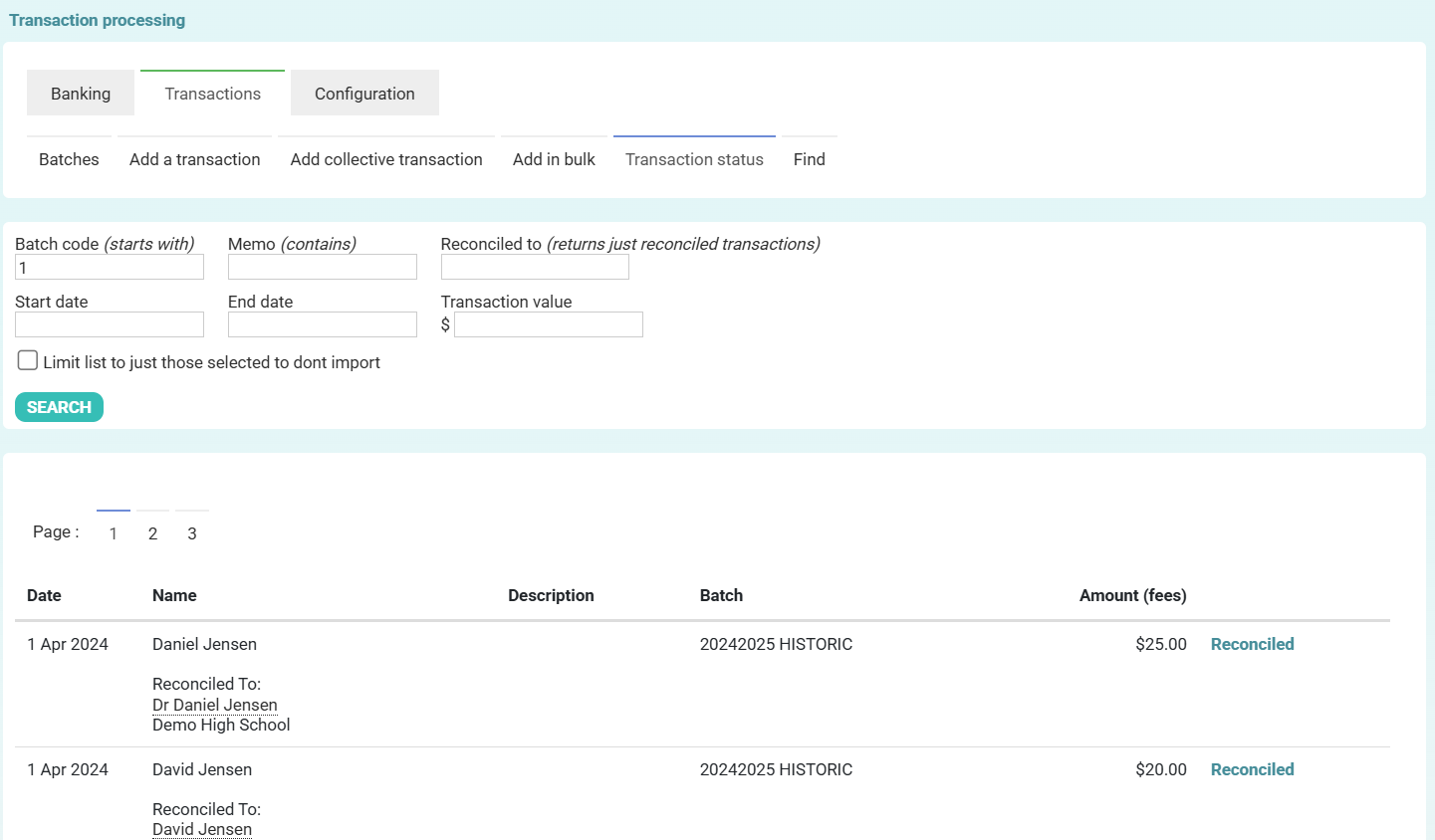
- Under the Transactions tab, click on Transaction status.
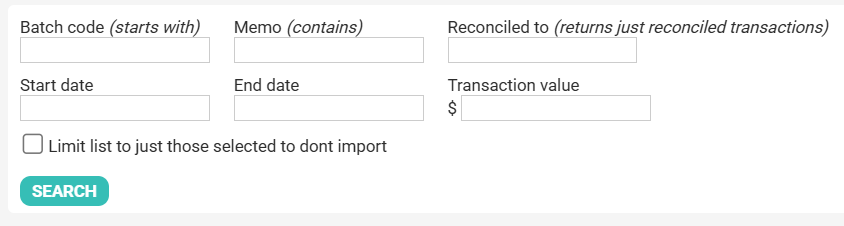
- Enter in the search criteria. Note that not all of these fields need to be completed. Then click Search.
- A list of transactions matching the search criteria is shown, with each status in blue on the right.
Related Pages