When will a form send out notifications
When building a form, you can choose when the notifications are sent out. The choice will depend on what you are doing on the form and when you want to let the donor know what's happening.
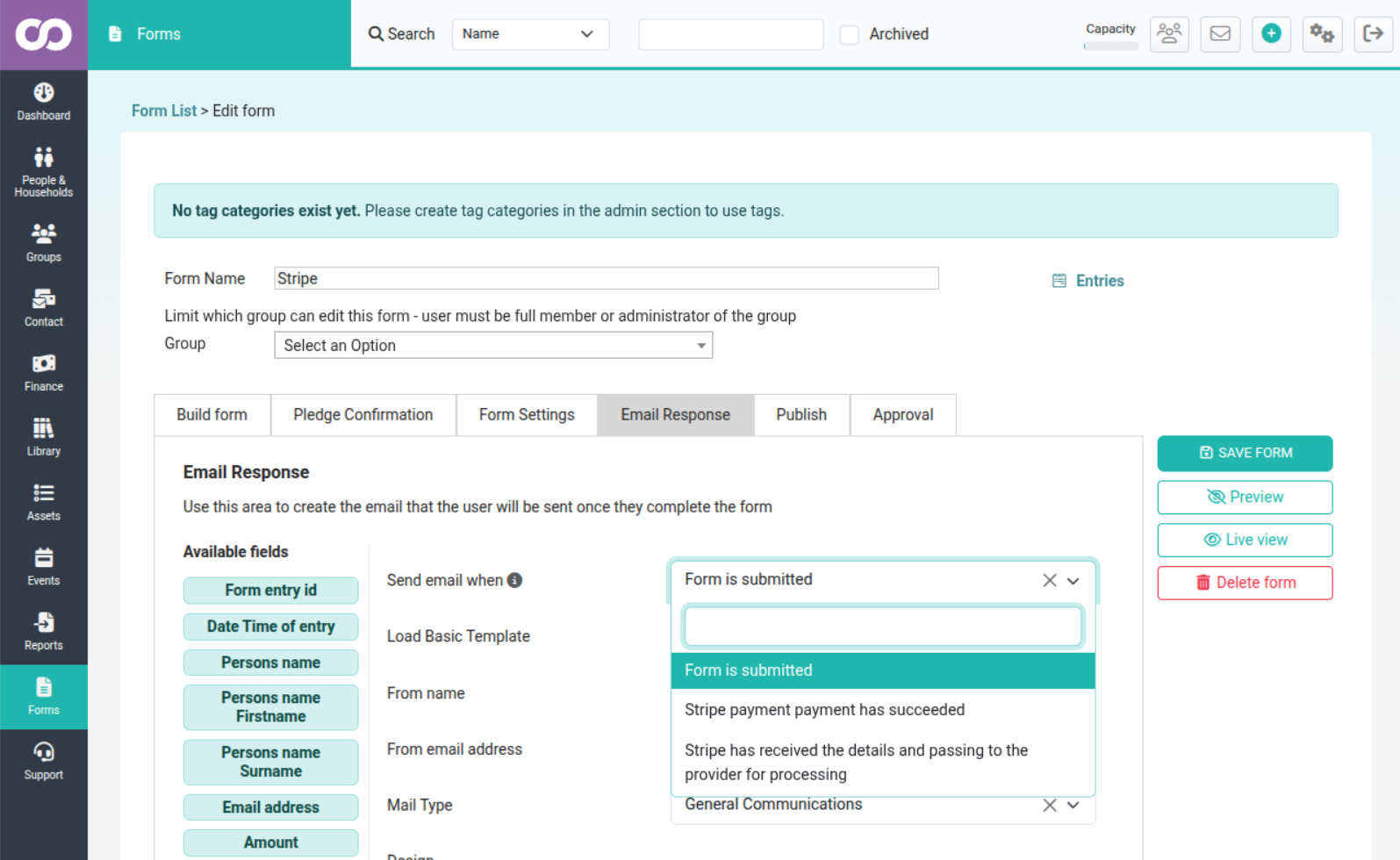
What do these fields mean?
Form is submitted
- It sends the email as soon as the user completes the form, and before they are shown the payment screen.
- This would apply when Free Text or Direct Credit payment methods are chosen by the donor when either of the other options has been chosen.
Stripe payment has succeeded
- This only applies when Stripe is used by the donor.
- This is when all confirmations have been received by the banks, for Credit Card this is immediate, for delayed processes, e.g. Direct Debit it could be 2 days or more after the form is completed.
Stripe has received the details and passing to the provider for processing
- This only applies when Stripe is used by the donor and probably the most 'user friendly' approach because notifications happen fairly soon after the form is completed.
- This is when the donor has completed the payment information but before it is sent to the banks for confirmation and processing. This would normally happen within an hour or so.
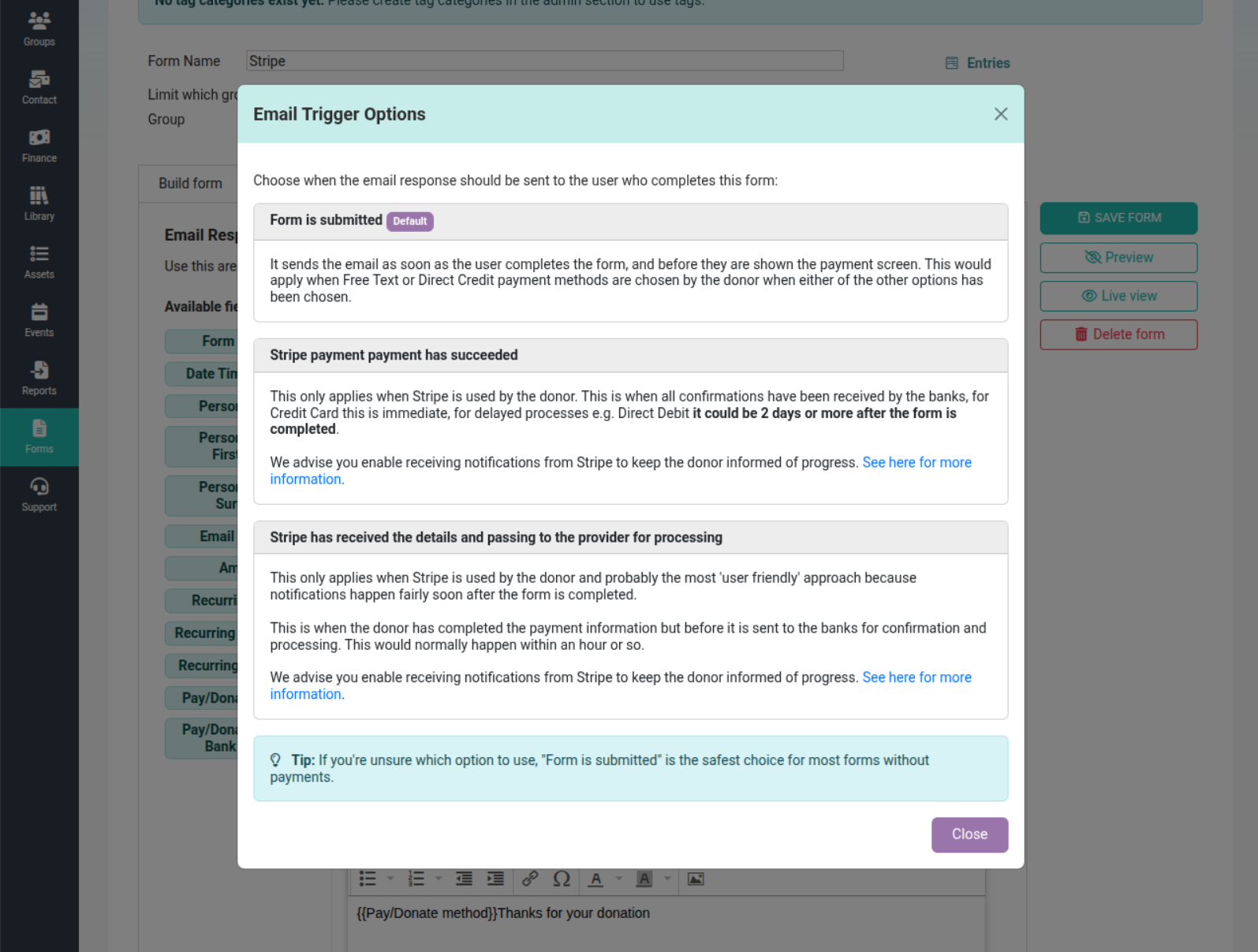
We advise you enable receiving notifications from Stripe to keep the donor informed of progress. For more information, see Stripe Receiving Notifications