A pledge is a forward-looking commitment to give — it is not a payment itself. Adding a pledge records what a donor has promised and generates a schedule of planned payments that you can track against actual giving.
You'll need the Manage Pledges permission to add pledges. Contact your administrator if you don't see this option.
How to add a pledge
- Search for the person or organisation whose pledge you want to manage.
- If Finance is not showing on the person's profile, then you will need to add it. To see how to do this, look at Profile Layout.
- Then in the Finance section on the profile page, open the Pledges tab.
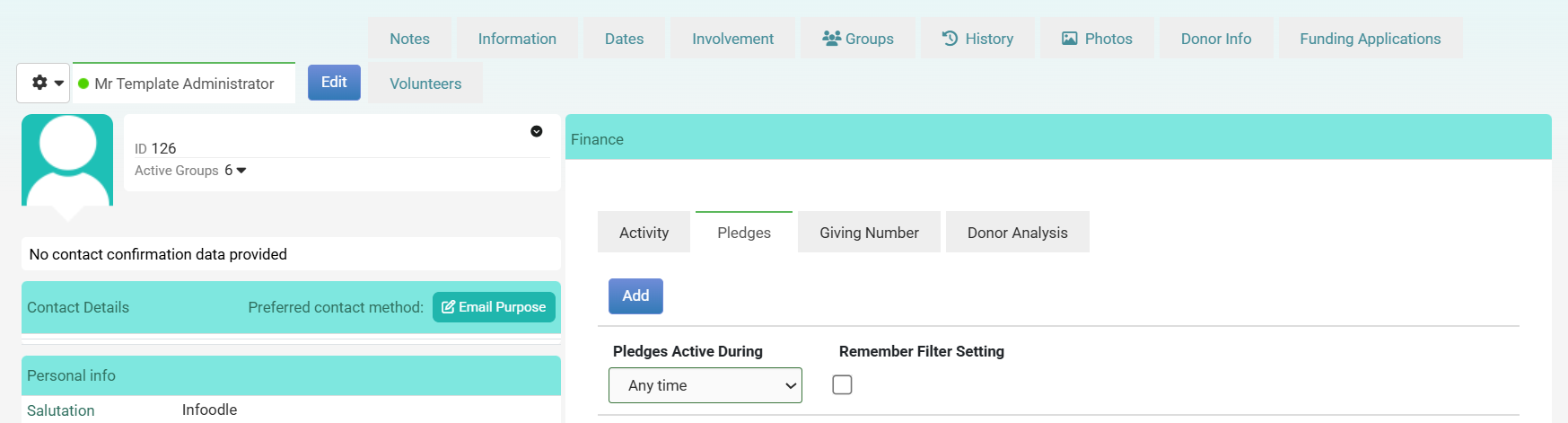
- Then click Add. This will open options to add a new pledge.
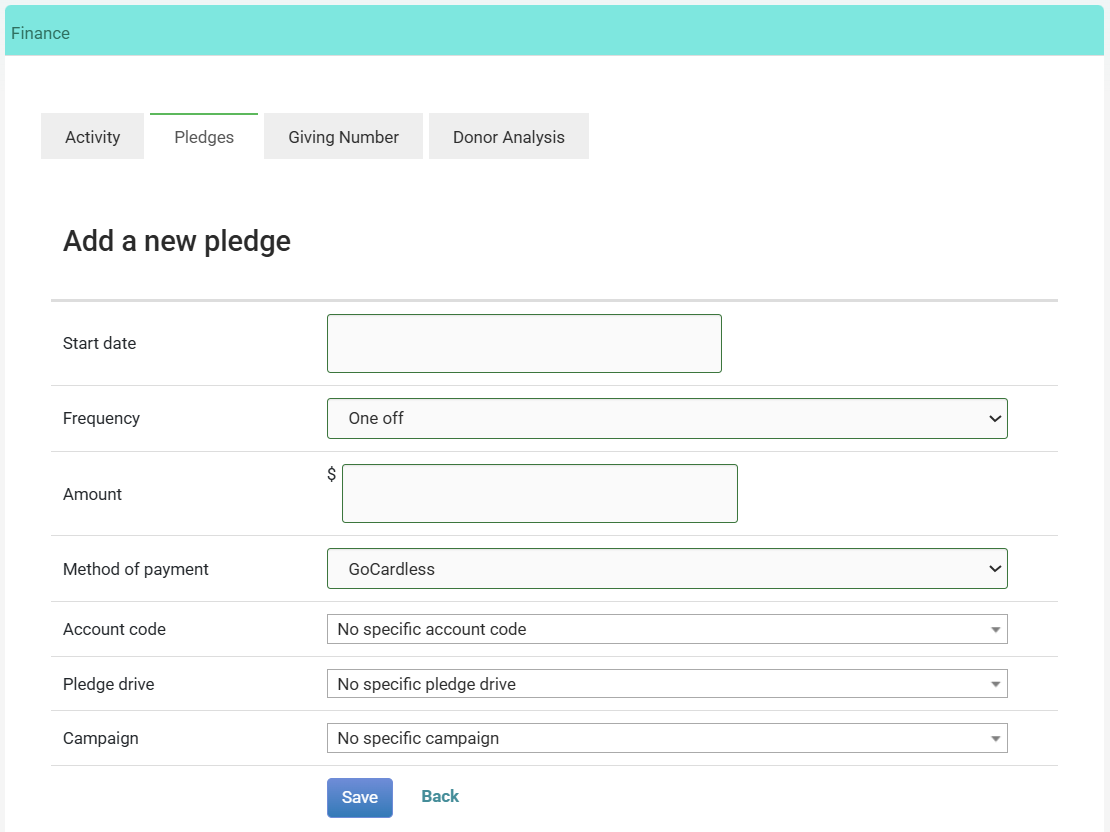
Add a new pledge criteria
Start date
The date the first payment is due. Enter the date the donor's giving commitment begins.
Frequency
How often payments are due. Options include One off, Weekly, Fortnightly, Monthly, Quarterly, and Annually. Select One off for a single commitment with no recurring schedule.
End Date
The pledge can either have a fixed end date, or be open ended. infoodle will automatically create records for the next 3 years and will automatically extend these each day as required.
Amount
The amount due per payment (or the total amount for a one-off pledge).
Method of payment
How the donor will pay. This may include options such as GoCardless, Stripe, Automatic Payment, Cheque, or Cash, depending on what your organisation has configured.
Account code
The account code this pledge should be tracked against. Leave as No specific account code if not required.
Pledge drive (optional)
The pledge drive (if you have any configured) this pledge belongs to. Leave as No specific pledge drive if not applicable.
Campaign (optional)
The campaign to associate this pledge with. Leave as No specific campaign if not applicable.
What happens next?
Once saved, infoodle generates a schedule of planned payment occurrences based on the start date, frequency, and amount you entered. You can view these on the Schedule tab of the pledge, and edit individual occurrences, amounts, or dates from there.
A pledge is a promise, not a payment. It will not appear in the donor's giving total until actual transactions are recorded against it. Use the Pledge vs Actual report to compare pledged amounts against what has been received.