If you created a design in error you may wish to delete it, or to tidy up your list of designs.
- Click Receipts or Statements
- Click Templates
- Click Designs
- You now see the list of available designs.
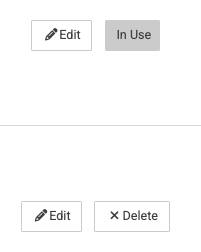
Some designs have 'In Use'. This means there is a template (receipt or statement) that is using the design and therefore you are unable to delete the design. Check the receipts or statements and change the design used to release the design.
If you see the 'Delete' button, the design can be deleted knowing it wont be affecting any other template.