Before you start
You will need the following things before you are able to launch a training site:
- Administrator role permissions
- Permission to be able to create a charge for your organisation
- Name and email address of the person who will gain access to this new site
How to launch a Training Site
- Click Administration cog icon, then Administration
- Click Training Sites, then Launch Training Site
- Enter the email address, first and last name of the trainee and click Next
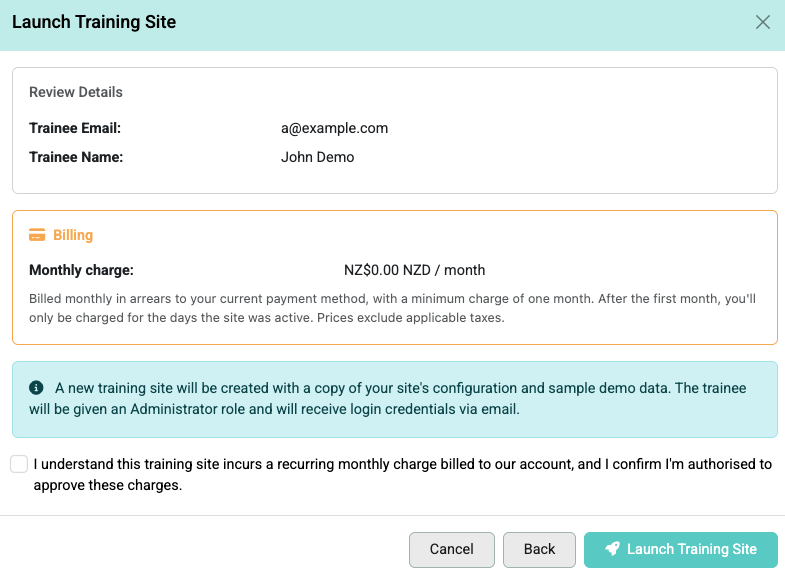
- Confirm the details including the billing information.
- Click that you are authorised and click Launch Training Site
Related Pages