The pledge tab on the profile screen shows you a snapshot of how up to date the donor is with their pledge.
You can also Add a new pledge or from the list of their pledges you can manage them.
Outstanding Pledge Balances
This is a snapshot of how up to date the donor is with their pledges.
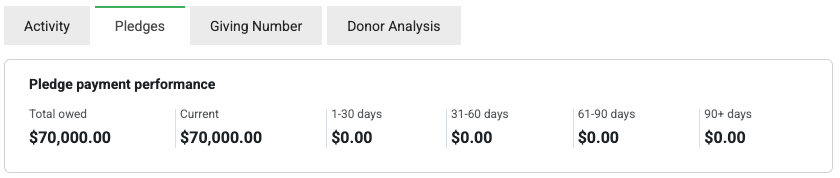
- Total owed: The total amount that is pledged but has not been paid so far
- Current: The total amount that is to be paid over the next 30 days
- 1-30 days etc.: The total amount that was due between 1 and 30 days ago (or more).
Add a pledge
Click 'Add' to manually add a new pledge. See Adding a pledge for more information
Managing pledges
From the Pledge Menu - click Manage Pledge to perform one of the following tasks:
- Edit a Pledge See here for more information to change the dates, amounts, frequency, allocations for this pledge.
- Cancel a Pledge See here for more information
- Delete a Pledge See here for more information