A membership product decides two things about time and money: how long a membership lasts, and how the fee is collected across that time. The Duration & Period tab sets the first, the Payment Schedule tab sets the second, and most people configure them together because each one changes what the other can do. You reach both from Finance → Membership Products, by opening a product and choosing the tab from the list on the left.
Before you start
Role Permissions
- Manage finance configurations: needed to open a membership product and to save it. There is no read-only view of these tabs.
For more about what each role permission means, see People Permissions.
You will also need the Membership package turned on for your infoodle. See Turning on the Membership and Portal packages
The product itself must already exist. See Creating a membership product
Every membership product needs at least one rate row before anybody can join it, whatever you set on these two tabs. Set that up on the Rate Rules tab first. See Rate rules and pricing structures.
The Duration & Period tab
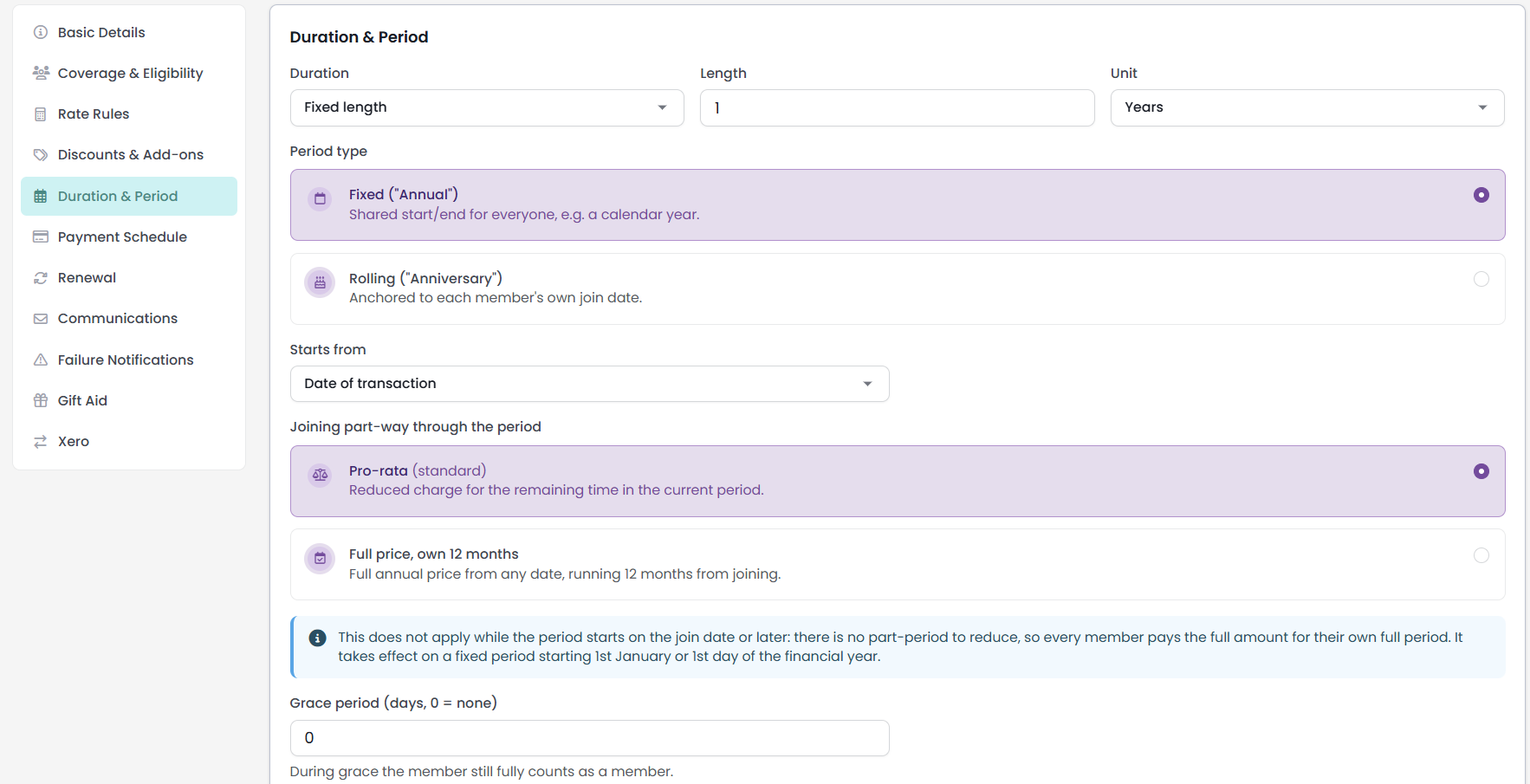
Step 1: Choose the duration
Duration is the first choice on the tab and it decides how much of the rest of the tab you see.
| Duration | What it does |
|---|---|
| Fixed length | The membership runs for a set length of time and then ends. This is the only duration that renews. |
| Lifetime | The membership has no end date. It never expires and never renews. |
| Free (no expiry) | The membership has no end date. It does not set the price to nothing: the price still comes from your rate rows. The public signup form it generates carries no payment questions. |
Choose Lifetime or Free (no expiry) and the whole period block disappears, replaced by a note that reads "This membership never expires, so there is no period to anchor, no renewal to lead up to and no grace period after it." Anything you had already set is kept, so switching back to Fixed length restores it.

"Free (no expiry)" is about time, not money. It removes the end date and it takes the payment questions off the generated signup form. It does not change what the membership costs, because the price comes from your rate rows. For a membership that costs nothing, set the rate amount to zero as well.
Only a Fixed length membership renews. A Lifetime or Free membership has no end date, so there is nothing for a renewal to run from. Those memberships stay active indefinitely, never move into grace, never lapse, and never appear in the upcoming renewals report. If you want members to be asked for money again each year, the duration has to be Fixed length.
The same thing decides how the fee is collected. A membership with no end date takes the whole fee as a single payment, whatever you tick under Allowed pay periods, because there is no period to spread the payments across.
Step 2: Set the length and unit
Length and Unit together give the size of one period: 1 Year, 6 Months, 90 Days, and so on. A length below 1 counts as 1.
Periods are measured so that the day of the month is kept wherever it exists.
For example: A period starting on 15 January and running one month ends on 14 February, one day short of the next period's start. Where the day does not exist in the target month, the period ends on the last day of that month instead, so a monthly period starting on 31 January ends on 28 February and the following period starts on 1 March.
Step 3: Choose the period type
Period type decides whether everyone shares the same calendar or each member gets their own.
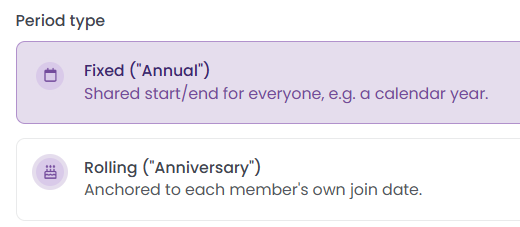
- Fixed ("Annual"): a shared start and end for everyone, for example a calendar year.
- Rolling ("Anniversary"): anchored to each member's own join date.
Choose Rolling and the Starts from and Joining part-way through the period settings are hidden, because a rolling period is anchored to the join date by definition.
Step 4: Set where a fixed period starts
Starts from appears on a fixed period only, and sets the day a new member's first period is anchored to.
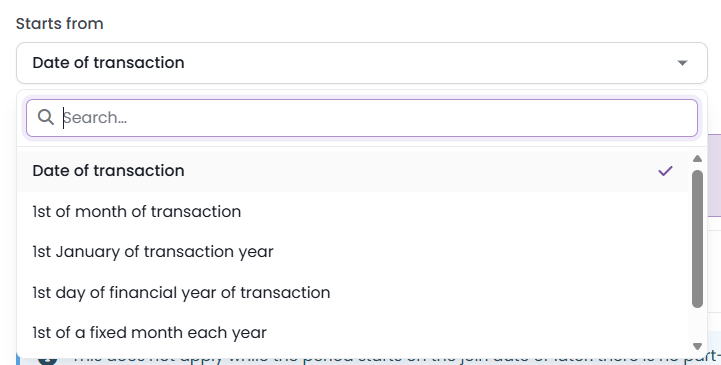
| Starts from | Where the period begins |
|---|---|
| Date of transaction | The day the member joins. |
| 1st of month of transaction | The first day of the month they join in. |
| 1st January of transaction year | 1 January of the year they join in. |
| 1st day of financial year of transaction | The first day of your financial year, as set on your infoodle. A site that has never set one runs a calendar year. |
| Start next month | The first day of the month after they join. A Starting month box appears beside it, which records a month on the product. |
| Ask for date | The member picks their own start date when they join. |
On Ask for date, the member's choice is bounded at both ends. They cannot backdate it, and they cannot set it more than one period ahead, so on a one-year membership the furthest they can start is a year out.
A later start date does not delay the first payment. Whichever of these you choose, the first payment is collected when the member completes the join, not on the day their period begins. The start date decides the period that payment buys and anchors the payments that follow it. For example, a member joining in March on a membership that starts on 1 April pays in March, and their following payments are counted from April.
Step 5: Decide what happens when somebody joins part-way through
Joining part-way through the period has two options.
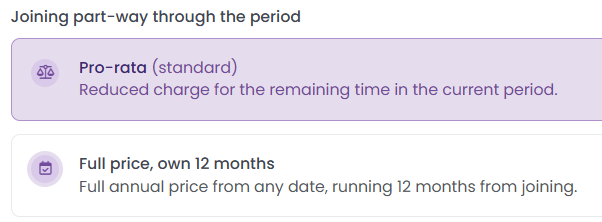
- Full price, own 12 months: the full price from any date, running 12 months from joining.
This choice only changes anything where the shared period started before the member did, which means a fixed period starting on 1st January of transaction year or 1st day of financial year of transaction. On every other setting the screen shows a note that opens "This does not apply while the period starts on the join date or later", and goes on to explain that there is no part-period to reduce, so everybody pays the full amount for their own full period.

Grace period (days, 0 = none) is how long a membership keeps counting after its end date has passed. The help text under the box says it plainly: "During grace the member still fully counts as a member."
A membership sits in one of six states.

| Status | What it means |
|---|---|
| Pending | Signed up, payment due but not yet paid. A payment already sent to the gateway and waiting on an answer reads as Active while it settles. A membership with nothing to pay starts Active instead, once its start date has arrived. |
| Active | Paid, and inside the current period. |
| Grace | The period has ended and the grace window is still open. |
| Failed | A payment attempt did not succeed. |
| Lapsed | The grace window has closed, or there was no grace period, and nothing renewed. |
| Cancelled | Ended on purpose, either part-way through or by declining a renewal. |
Active and Grace are the two that answer yes to "is this person currently a member?". Everything that asks that question, including reporting, treats the two the same way.
Grace and lapse are worked out from the end date and the grace window at the moment somebody asks, so the answer is right straight away and nothing has to run overnight to set it. For example: A membership ending on 1 August with a 30-day grace period reads as Grace through to 31 August and as Lapsed from 1 September. Set the grace period to 0 and a membership lapses the day after it ends.
A membership with no end date never moves into Grace or Lapsed on its own. It stays Active unless somebody cancels it, which is the other side of the Lifetime and Free duration choice.
Common questions
Why does my membership never renew?
Check the Duration on the Duration & Period tab. Only Fixed length memberships renew. A Lifetime or Free membership has no end date, so there is nothing to renew from, and it will not show up in your upcoming renewals either.
Does a grace period delay when payment is taken?
No. Grace decides how long somebody keeps counting as a member after their period ends. It does not change when a payment is collected.
Does "Free (no expiry)" make the membership free of charge?
Not on its own. It removes the payment questions from the public signup form it generates, and it removes the end date. The price still comes from your rate rows, so if you want a membership that costs nothing, set the rate to zero.
What happens to the period settings if I switch to Lifetime from Fixed length?
The previous settings are kept but are not referenced. Switch the duration back to Fixed length and everything you had set is still there.
Next steps
With the duration and period section complete, move on to the Payment Schedule tab.