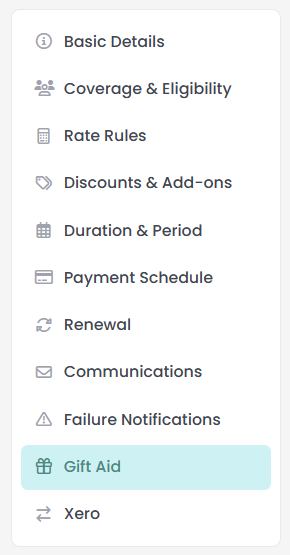
A membership product is configured across a list of tabs, and one of them only appears when the matching feature is switched on for your site. The Gift Aid tab decides whether this membership takes part in Gift Aid and is only available when the Gift Aid package is enabled.
Before you start
Role Permissions
- Manage finance configurations: needed to open a membership product and to save it. With Manage, Read and report on transactions or Read and Report on Transactions you can still see the Membership Products list, but you cannot open or change a product.
For what each role permission means and how to change one, see People Permissions.
When each tab appears
- Gift Aid appears when the Gift Aid package is switched on for your site. Gift Aid is a UK only scheme. If you are new to it, start with Getting Started with Gift Aid.
- You will need a membership product to configure. See Creating a membership product
Gift Aid
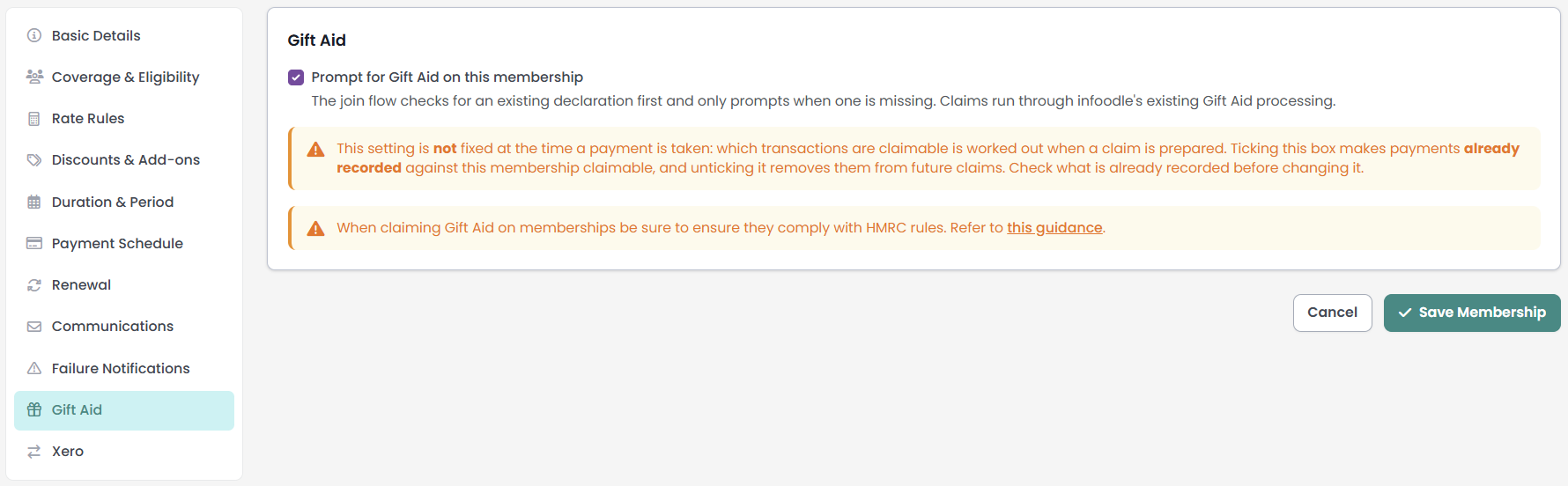
Open a membership product from Finance → Membership Products, then open the Gift Aid tab. The tab holds a single setting.
Prompt for Gift Aid on this membership. Tick it for a membership whose payments your organisation intends to claim Gift Aid on.
What ticking it changes
Ticking the box does two things.
- It brings the membership's payments into Gift Aid claims. A payment recorded against this membership can be picked up by a claim. On a membership without the tick, the payment is left out, and the claim's not-claimable list names the membership and gives the reason: "excludes it - Gift Aid not enabled on the product".
- It asks members for a declaration when they join. On the Portal join screen, infoodle looks for a declaration that currently applies to that person, and asks for a new one only when there is none. A declaration counts while its dates cover today, so a member whose declaration has run out is asked again. The tab says so in its own words: "The join flow checks for an existing declaration first and only prompts when one is missing."
The tick is one of several conditions, not the only one. A membership payment is claimable when all of these are true:
- Gift Aid is ticked on the membership product.
- The person holds a Gift Aid declaration covering the date of the payment.
- The account code the payment was recorded against is marked as tax refundable.
- The payment is money rather than in kind, and the amount is above zero.
The setting is read when you build a claim
A claim reads this tick at the moment you build the claim, not at the moment a payment is recorded. So ticking the box on a membership that already has payments recorded against it brings those payments into the pool a claim can draw from, and clearing the tick takes them back out again. The not-claimable list is rebuilt the same way. The other conditions above still apply to each payment, so a past payment only becomes claimable when the declaration covers its date and its account code is tax refundable.
Changing this tick on a membership that already has payments recorded changes what a new claim will contain, including payments taken months ago. Check the tick before you build your next claim.
For how a claim decides which payments to include, see Transactions Included in a Gift Aid Claim. For the site-wide Gift Aid setup that sits behind all of this, see Gift Aid Settings.
What the tick does not decide
The tick records your organisation's intention for this membership. It is not a ruling on whether a membership subscription qualifies for Gift Aid, and infoodle does not make that judgement for you. HMRC sets rules for membership subscriptions specifically, and they are the ones that apply. The tab carries a note saying so: "When claiming Gift Aid on memberships be sure to ensure they comply with HMRC rules", with a link to the HMRC guidance.
What members see
- In the Portal. A member with no declaration currently on file reads a short explanation and the declaration wording, with a tick box to agree to it. A member who already holds one is told it covers this membership too, and is not asked to sign again.
- On the public signup form. The signup form infoodle generates for a membership offered publicly always includes the declaration question. Unlike the Portal, it does not look for an existing declaration first. The wording is the same wording the Portal shows, so both channels collect the same declaration.
Common questions
I cannot see the Gift Aid tab. Where is it?
The tab appears only when the Gift Aid package is switched on for your site. Gift Aid is a UK scheme claimed from HMRC, so most infoodle sites never see this tab.
Does ticking Gift Aid claim the money?
No. It brings this membership's payments into the pool a claim can draw from. Building, checking and filing the claim is done from the Gift Aid screens, and each payment still needs a declaration covering its date and a tax refundable account code.
I have just ticked Gift Aid. What about payments already recorded?
They come into the pool too. A claim reads the tick when you build the claim, so payments already recorded against this membership become available to it, provided the declaration covers their date and the account code is tax refundable. Clearing the tick takes them back out of the pool.
A member already gave us a Gift Aid declaration. Will they be asked again?
Not in the Portal, as long as their declaration still applies today. The join screen checks first and tells them their existing declaration covers this membership too. The public signup form always includes the declaration question and does not look first.
Next steps
The Gift Aid and Xero tabs complete a membership product's configuration. With the rates, add-ons, duration, renewal and member emails already set, the product is ready to be offered to members or used to create memberships in bulk. To review the emails members and staff receive, see Communications and failure notifications.